Family Agent

The family assistant that never leaves the house.

Family Agent keeps track of your household's documents, schedule and tasks — on a laptop in your home, thinking with a model on that same laptop.

There's no account to create and no service to trust, because the server is yours.

For macOS (Apple silicon), Windows, or Linux — Intel/AMD or Arm. The Mac build is signed and notarized, so it opens without a warning.

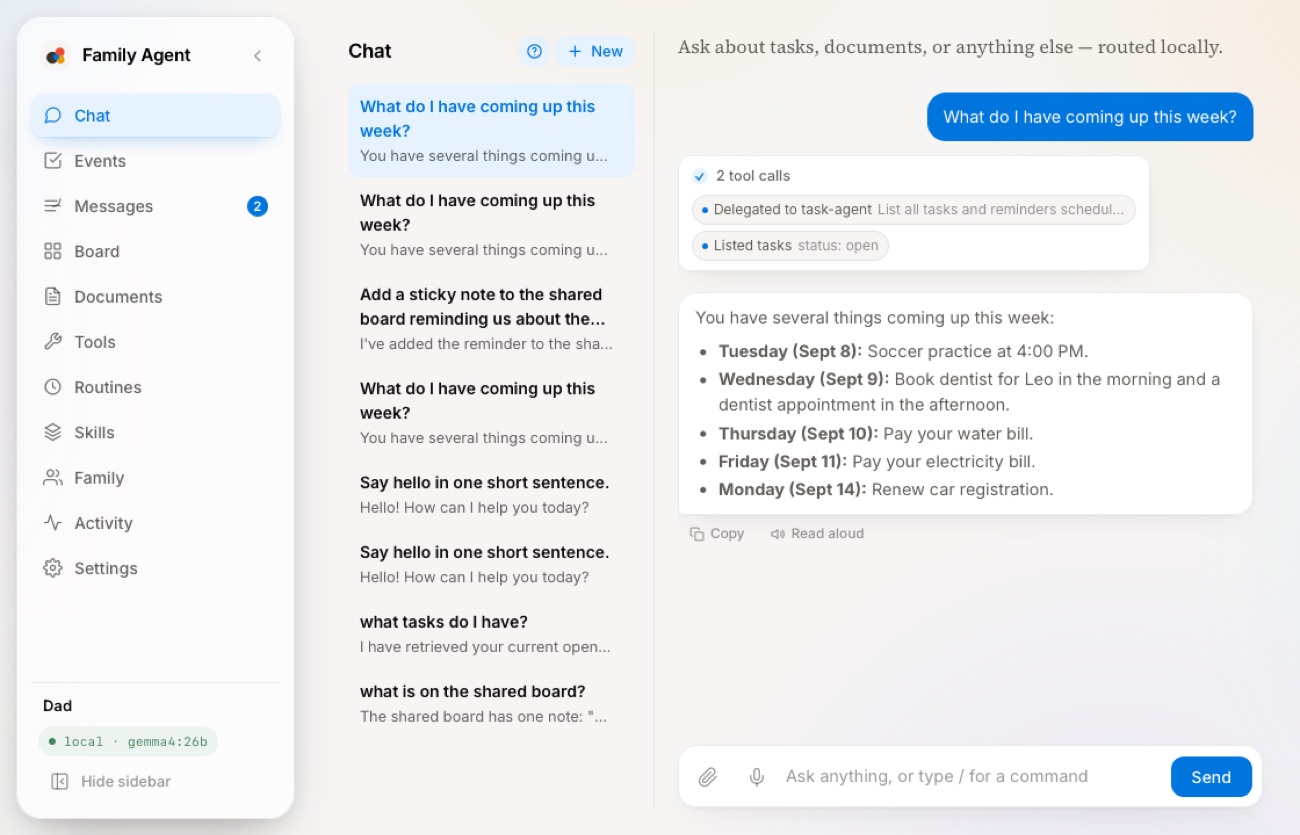
The macOS app: sidebar, chat history, and an assistant reply listing the week's events with the tool calls that produced it
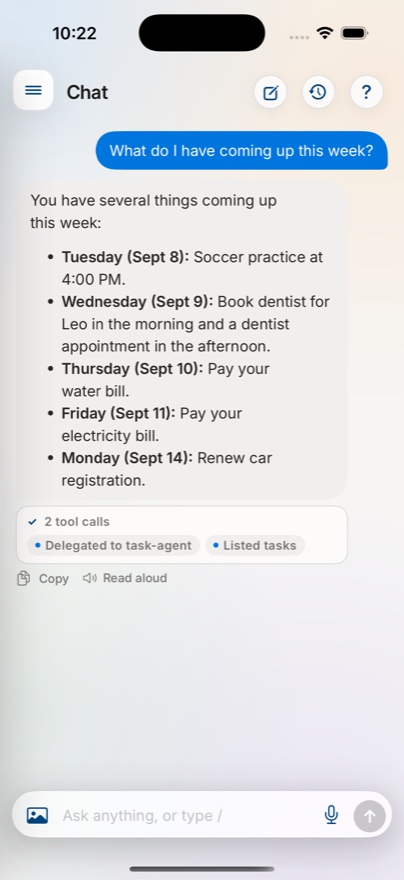
The same conversation on iPhone

What it does

Ask in plain language. It does the filing.

Everything below runs against a model on your own hardware — so it is as fast as your machine, and as private as your machine.

Reads your paperwork

Drop a bill, a school letter or a photo of a form into a watched folder. It reads it — text layer, or OCR for a scan — pulls out the dates and amounts, and files it where you can find it later by meaning, not just by filename.

Keeps the calendar

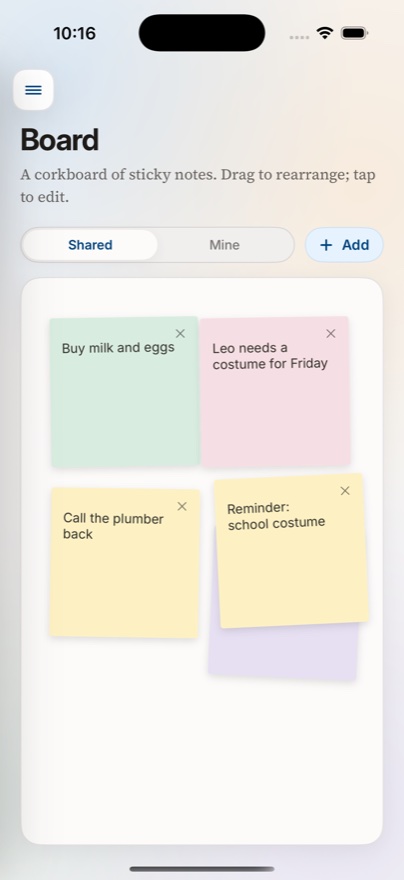
Mention something in passing and it becomes an event. List, day, three-day, week and month views, plus a shared sticky board for the things that aren't really events.

One account each

Everyone's documents, tasks and chats stay their own. What's shared is shared on purpose: the family board, group threads, and a vault you can open to the household.

Runs errands on a schedule

A morning briefing, a bill nudge, a Sunday review. Routines are saved instructions the assistant carries out on its own and reports back on.

Builds small tools

Ask for a chore chart or a trip budget splitter and it writes one — a small web tool, generated and served locally, that you keep and improve just by asking.

Holds your passwords

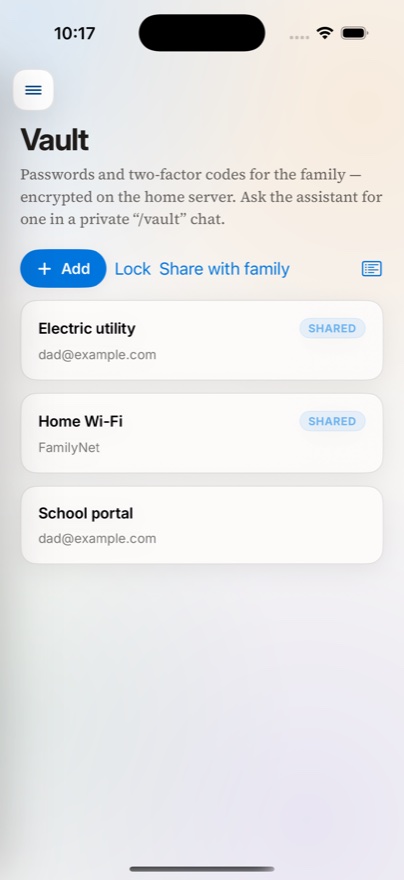
An encrypted vault for logins and two-factor codes. Only the secret itself is encrypted, so the list still works while locked, and a stolen database gives up nothing.

Where your data goes

Nowhere.

Not "anonymised". Not "never sold". Your documents and conversations go to the machine in your house and stop there — and you can read the code that makes that true.

No cloud model

Replies come from a model running on your own hardware through Ollama. No prompt, document or photo ever reaches a hosted AI API.

No analytics, no accounts

There is no telemetry, no advertising identifier and no third-party SDK. There is also no account with us — the only server involved is the one you installed.

Two exceptions, both off

Web search and command-line file processing can reach past your machine. Each is off unless an operator deliberately switches it on, and each is documented in full.

On your phone

Native apps, not a wrapped web page.

The desktop app hosts the server. iPhone and Android apps find it on your network and behave the way their platforms expect.

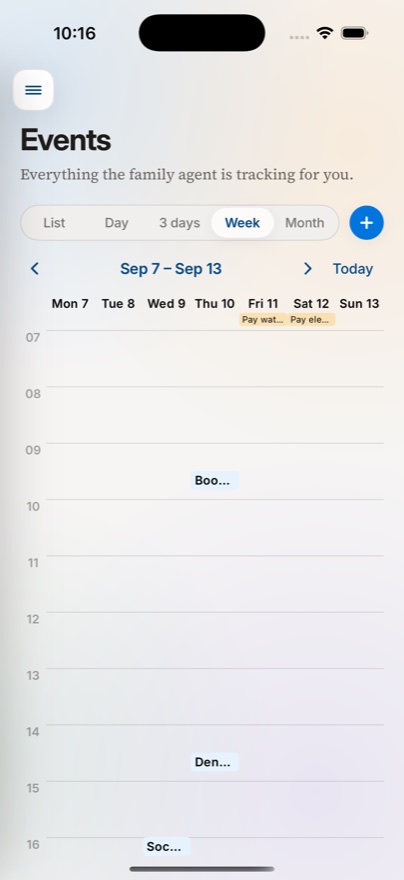
A week calendar with several events
EventsDay, week and month, built from things you asked for in passing.
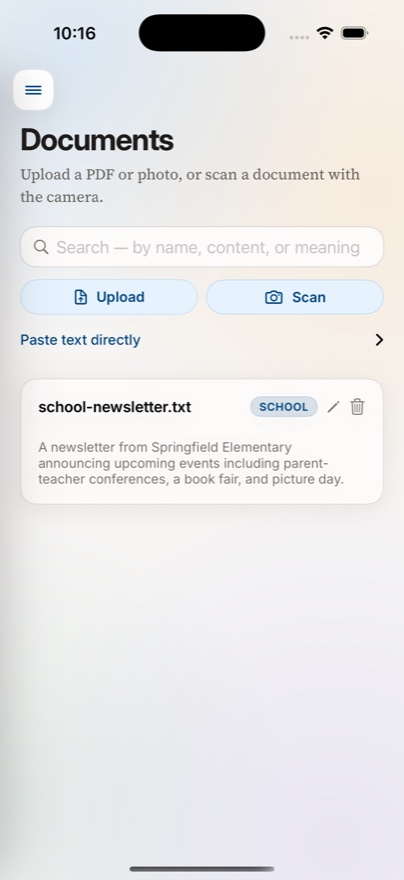
The documents screen with a search field and a filed document
DocumentsSearchable by meaning as well as by words.
A shared sticky note board
BoardThe shared notes that never quite become tasks.
The vault listing shared and private entries
VaultPasswords and two-factor codes, encrypted at rest.

What you need

One machine at home, usually switched on.

A machine to host it

macOS 12+ on Apple Silicon, Windows 10/11, or Linux — Intel/AMD or Arm. This runs the server, so pick the one that stays home.

Ollama, and a model

The assistant thinks with a model you pull yourself. It has to support tool calling — that's a property of the model, not of this app.

Phones on the same network

The iOS and Android apps discover the server over your local network, or you can point them straight at its address.

Free, MIT licensed, and yours to read.

Including the reasoning behind every non-obvious decision, written down as it was made.